
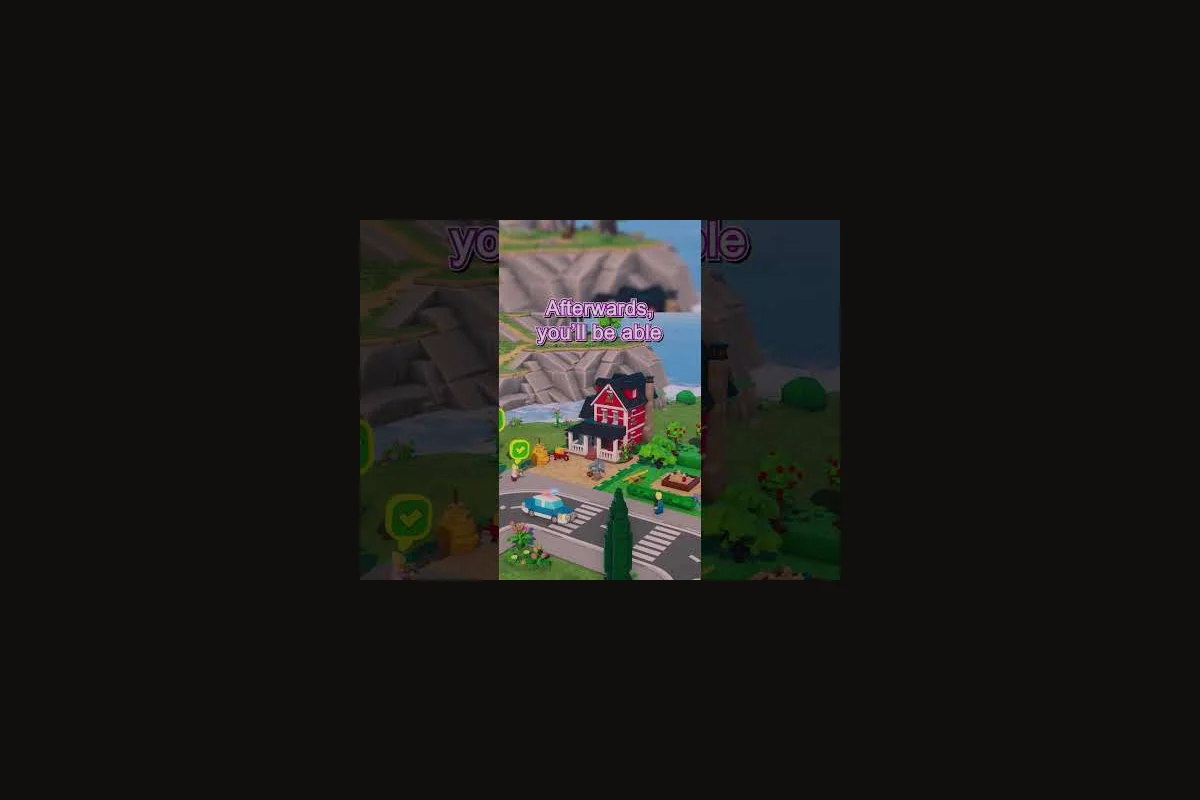
LEGO Skylines economic expansion rewards players who sequence growth instead of racing it. According to the LEGO Skylines Steam store page, the city-builder ties electricity, food, water, housing, jobs, healthcare, parks, shops, waste collection, and sewage into a single network, so every new district quietly taxes the budget. The cities that thrive are the ones that treat expansion as a financial plan, not a painting project.
Why Economic Expansion Breaks More Saves Than Any Other Phase
Most saves do not collapse during the first hour; they collapse during the third. The starter district looks healthy, taxes trickle in, and the player gets greedy. They unlock a new tile, drop a hospital, plop a residential block, and watch the income graph bend sideways within minutes. That sideways bend is the signature of a city whose expenses grew faster than its taxable base. The official Paradox Interactive page confirms the scope: housing, workplaces, donut shops, parks, and food production all share the same ledger.
The danger is that LEGO Skylines economy mistakes rarely announce themselves. There is no flashing red icon, no "you are bankrupt" banner; the city simply stops growing, citizens become unhappy, and the population plateaus. Recovery is possible but expensive, because every district you added without infrastructure now demands retroactive wiring. Players who internalize that growth is a budget event, not a building event, sidestep the trap.
A second reason expansion breaks saves is scaling friction. The first 200 citizens cost almost nothing to serve; the next 2,000 cost a multiple of that because each utility upgrade, each hospital expansion, and each new commercial zone draws from a finite supply. If you treat every citizen as worth the same tax, you will underestimate how much the late-game citizen actually costs to maintain.
The Three Levers That Decide Profitability
Every sustainable city in LEGO Skylines is balanced on the same three levers: production efficiency, service overhead, and taxable base. Production efficiency is how much revenue each worker generates after subtracting the cost of feeding and housing them. Service overhead is the monthly drag of hospitals, parks, and utilities. Taxable base is the number of citizens whose housing and workplace taxes actually land in the budget.
| Lever | What it controls | Common mistake |
|---|---|---|
| Production efficiency | Revenue per worker | Over-investing in food farms without jobs to absorb them |
| Service overhead | Monthly upkeep cost | Building hospitals before the population needs them |
| Taxable base | Total monthly income | Zoning residential faster than commercial demand |
When players keep these three numbers roughly aligned, LEGO Skylines city profitability stays positive even during aggressive expansion. When one lever runs ahead of the others, the budget tilts and stays tilted until a manual correction.
Reading the Budget Panel Before You Expand a District
The economy panel is the single most underused tool in LEGO Skylines. Before laying a single new road or zone, open the panel and read three numbers: monthly income, monthly expenses, and net balance. If net balance is below roughly 15% of income, expansion is a risk. Community testing reported by players suggests a 20–25% buffer is the safer range when adding a new district, because the new tiles take several in-game weeks to start returning taxes.
A useful workflow is to pause the game immediately after deciding to expand, then read the panel a second time. The first read confirms the current state; the second read forces you to ask whether the new district will pay for itself inside the same fiscal year. Most economy mistakes begin as assumptions about the future, and the panel is the only screen that keeps those assumptions honest.
A Pre-Expansion Checklist That Catches 80% of Mistakes
| Step | What to verify | Why it matters |
|---|---|---|
| 1 | Net balance is positive for 3+ months | Confirms stability before adding load |
| 2 | Food production covers current demand | New citizens increase food draw |
| 3 | Healthcare coverage has slack | Prevents emergency hospital upgrades |
| 4 | Taxable base growth ≥ service growth | Keeps overhead ratio stable |
| 5 | At least one commercial demand bar is full | Confirms jobs are wanted, not speculative |
If any of those five checks fail, the expansion is speculative. Speculative expansion is the single largest contributor to mid-game budget crashes, and it almost always traces back to ignoring the panel. The first hour of a new district is a sunk cost; the second hour is where payback starts, so plan accordingly.
Building LEGO Skylines Financial Planning Habits That Scale
LEGO Skylines financial planning is a habit, not a spreadsheet. The players whose cities survive late game are the ones who treat every zone block as a small loan: they ask how long it will take to pay back, what ongoing cost it carries, and what dependencies it adds. That mindset is more valuable than any single layout trick, because the city is going to throw curveballs, and a planning habit absorbs them.
One habit is to batch expansion into waves rather than drip-feed it. Drip-feeding feels safer, but it actually produces more service overhead because every small expansion triggers a small utility upgrade. Batching two or three districts at once lets one utility upgrade serve them all, which compresses the overhead-to-income ratio. Players who adopted wave planning report, according to community data, smoother income curves during the mid-game push from 2,000 to 8,000 citizens.
A second habit is to keep a written ratio between residential, commercial, and industrial zones. The exact ratio varies by map, but a starting point of roughly 3:2:1 (residential to commercial to industrial) tends to keep both jobs and tax flow balanced. Deviating from the ratio in either direction produces the same symptom: citizens either have nowhere to work or nowhere to shop, and either imbalance slowly drains the budget.
The Five Numbers Every Sustainable City Tracks
| Metric | Target range | What breaks if it drifts |
|---|---|---|
| Income / expense ratio | ≥ 1.25 | Net balance goes negative |
| Citizens employed | ≥ 90% of workforce | Tax leak through idle workers |
| Service coverage | ≥ 85% of population | Unhappiness spiral |
| Food surplus | 10–20% above demand | Production stalls |
| Residential demand | Filled within 2 in-game weeks | Population stagnation |
These five numbers are not exact thresholds; they are guardrails. A sustainable city in LEGO Skylines is one that keeps all five within range for several months at a stretch, which usually means running for a full in-game year without an emergency service placement.
Avoiding LEGO Skylines Economy Mistakes That Look Smart
The most expensive mistakes in LEGO Skylines economic expansion are the ones that look like optimization. Dropping a second hospital "just in case," upgrading power before any building needs it, or zoning a huge residential block because demand is full — each feels productive, but each adds a small ongoing cost that compounds. The economy explained well is just the economy explained often: every building on the map is a recurring invoice, and the smart move is to delay invoices until they are actually needed.
A common pattern is over-hospitaling. Players see citizen health dip, drop a second hospital, then a third, then notice the budget is bleeding. The fix is rarely "add more hospitals"; it is usually "move the existing hospital closer to the dense residential block" or "wait for coverage to catch up with new construction." Hospitals are expensive to run, and every redundant facility is a permanent drag on the budget.
Another pattern is premature industrial scaling. Players read that industry produces jobs, so they zone a large industrial block, only to discover there is no commercial demand to absorb the goods. The result is idle workers, idle shops, and a tax base that never materializes. Industrial expansion should follow commercial demand, not lead it.
Mistakes Ranked by Long-Term Cost
| Rank | Mistake | Why it hurts long term |
|---|---|---|
| 1 | Over-building hospitals and clinics | Permanent monthly drag, slow to recover |
| 2 | Zoning industrial before commercial | Idle workforce, no shop tax |
| 3 | Expanding before food is stable | Citizen happiness crash, population loss |
| 4 | Upgrading utilities ahead of demand | Wasted upkeep, no income benefit |
| 5 | Ignoring the economy panel | All of the above, uncorrected |
The list is not absolute, but community experience consistently shows the top three cost more than the bottom two combined. Recovering from a bad hospital placement takes a demolish decision and several months of rebuild; recovering from a forgotten economy panel can take an entire save.
Maximizing Production Efficiency Across the Food-to-Donut Chain
Production efficiency is the difference between a city that breaks even and one that prints money. The food-to-donut chain in LEGO Skylines — wheat farms feeding donut shops, donut shops feeding workers, workers generating tax — is the single largest contributor to a healthy budget when tuned correctly. The official LEGO Skylines announcement trailer shows food production as a visible system, and Paradox's game page lists it among the core management responsibilities, so it deserves a dedicated workflow.
The first efficiency gain is donut shop placement. A donut shop on the edge of a residential zone feeds more workers per tile than one stranded between two industrial blocks. Players who align donut shops with worker traffic consistently report, according to community data, faster population growth without needing extra farms. The second gain is farm sizing: a single oversized farm produces the same output as several small farms, but at lower total upkeep. The third gain is worker-to-farm ratio: staffing every farm at full capacity maximizes output per tile, while under-staffed farms produce the same food but cost the same to maintain.
Production Efficiency Cheat Sheet
| Action | Efficiency effect | When to apply |
|---|---|---|
| Place donut shops near residential | High | Every district |
| Consolidate small farms into larger ones | Medium | After first 500 citizens |
| Match worker count to farm tiles | High | Before each expansion wave |
| Place farms upstream of shops | Medium | Early game |
| Avoid mixing farms and shops on the same road | Low | Cosmetic only |
Production efficiency is also the easiest place to add an internal cross-link because the food chain ties directly into the production chains deep dive, which breaks down each link in the supply loop. Weaving that link into a sentence about worker allocation keeps the link useful rather than ornamental.
A subtle gain is timing upgrades to demand cycles. Upgrading a farm when demand is falling wastes the upgrade; upgrading it when a new residential wave is about to land captures the demand immediately. That timing is small per event but compounds across a year, and it is one of the hallmarks of an experienced economy player.
Scaling a Sustainable City From One District to Three
A sustainable city in LEGO Skylines is not built in one session; it is built in waves. The first wave establishes the core, the second wave doubles the taxable base, and the third wave locks in profitability. Each wave needs its own pre-check, its own budget guardrail, and its own service plan. Skipping any of those three steps is what makes the third district feel "harder" than the first, when in reality it is just less forgiving.
The transition from one district to two is the easiest. The economy is healthy, services are close, and the new tiles are adjacent. The transition from two to three is where most saves break, because the player is now adding distance to every service and every utility. Hospitals need to be re-sited, water lines need to be extended, and the food chain has to be re-evaluated. Players who plan for that re-evaluation ahead of time — by leaving room for a second hospital and a second farm cluster — glide through the transition; players who improvise do not.
District Wave Planning Template
| Wave | Citizens target | Hospital count | Farm cluster count | Expected payback |
|---|---|---|---|---|
| Wave 1 | 0 – 2,000 | 1 | 1 | Already paid back |
| Wave 2 | 2,000 – 6,000 | 1–2 | 1–2 | 4–6 in-game months |
| Wave 3 | 6,000 – 12,000 | 2–3 | 2–3 | 6–8 in-game months |
The payback column is a community estimate and varies by map, but the pattern is consistent: each wave pays back slower than the last because the underlying service network is larger. Players who accept that pattern budget for it; players who expect every wave to pay back at the same speed panic and over-build.
A practical tip is to park a small cash reserve before starting wave 3. A reserve equal to roughly two months of expenses is usually enough to absorb the inevitable wobble without forcing a service cut. Players who keep that reserve report fewer emergency demolish decisions and steadier income graphs, both of which are core to long-term LEGO Skylines city profitability.
Connecting Expansion to the Service and Planning Layers
Economic expansion does not happen in isolation. Every new district adds distance to the nearest hospital, the nearest park, the nearest donut shop, and the nearest commercial zone. The first services planning guide covers how to order the original service placements, but the principles apply during expansion too: build the service before the citizen, and place the service close to where the citizen will be. Players who treat services as a separate plan from expansion end up with two plans that contradict each other, and the budget absorbs the contradiction.
A common integration mistake is zoning before servicing. Players see residential demand, drop a block, and only then realize there is no hospital within range. The block fills, citizens get sick, the hospital runs out of capacity, and the player scrambles to upgrade. The fix is to identify the service gap before placing the zone, which usually means sketching a rough hospital and park radius on the map before pressing the zone button. The healthcare planning guide walks through that radius math in detail, and it is worth referencing before each wave.
The same logic applies to zoning balance. The shop placement guide covers how donut shops and commercial zones interact with worker flow, which is the same dynamic that decides whether an expansion wave produces tax or produces idle workers. Economic expansion is, in practice, the integration test for every planning decision made earlier in the save.
Tuning the Late-Game Budget for Steady Profitability
Late-game LEGO Skylines city profitability is a question of compounding, not scaling. The income graph is large, but so is the expense graph, and the gap between them is what matters. A city that adds 1,000 citizens without adding 1,000 citizens' worth of service overhead is a city whose profit margin grows, not just whose absolute profit grows. That distinction is the difference between a sustainable city and a fragile one.
The tuning workflow in late game is to watch the ratio, not the absolute numbers. If the income-to-expense ratio holds steady through a wave, the expansion is healthy. If the ratio drops by more than a few percentage points, the wave is overloading the service network, and the player needs to either reduce the wave size or pre-invest in services. The planning tips guide covers the broader workflow, but the ratio check is the single most reliable indicator of whether a wave is going to land cleanly.
A second late-game move is to retire old infrastructure. A small hospital that made sense at 1,000 citizens is a liability at 8,000. Replacing it with a larger facility on a better site, then demolishing the old one, often produces a small but permanent boost to the budget. The same logic applies to farm clusters: three small farms on three different sites can be replaced by a single consolidated cluster with lower total upkeep. Retiring infrastructure is not glamorous, but it is the most reliable source of late-game efficiency.
Late-Game Efficiency Checklist
| Check | Frequency | What to look for |
|---|---|---|
| Income / expense ratio | Monthly | Should hold steady through waves |
| Service utilization | Quarterly | Hospitals and parks should be near 80% capacity |
| Worker employment rate | Monthly | Idle workers indicate zoning mismatch |
| Farm consolidation | Every 1,000 citizens | Replace 3 small farms with 1 large cluster |
| Old hospital retirement | Every 2,000 citizens | Replace with larger, better-placed facility |
Each check is small, but the cumulative effect is a budget that grows faster than the city. That is the core of LEGO Skylines economic expansion: not adding more citizens, but adding citizens whose net contribution to the budget is positive.
Frequently Asked Questions
What is the fastest way to recover from a budget crash in LEGO Skylines?
Pause the game, demolish the most expensive non-essential service buildings, and zone a small commercial block to absorb idle workers. According to community testing, the income graph typically recovers within 2–3 in-game months after that sequence. Re-add services only when the net balance returns above 20% of income.
How many citizens can one hospital realistically cover?
A single well-placed hospital covers roughly 1,500–2,000 citizens at full efficiency, though coverage drops sharply with distance. Players who spread two hospitals across two districts can stretch coverage to 4,000–5,000 citizens without upgrading either. Always place the hospital near the densest residential cluster, not on the district edge.
Should I expand industrial or commercial first during a wave?
Commercial first, almost always. Commercial zones create jobs that residential citizens can fill, and the resulting tax flow justifies the next industrial investment. The official LEGO Skylines economy model lists shops and donut sales as core revenue drivers, so commercial demand is the leading indicator that the wave is landing.
How do I keep production efficiency high when scaling to 10,000 citizens?
Consolidate small farms into larger clusters, align donut shops with worker traffic, and avoid over-staffing farms beyond the tile count. The production chains deep dive shows that each link in the food-to-donut chain has its own efficiency curve, and scaling means pushing every link toward its own ceiling rather than adding more links.
Is there a point where LEGO Skylines economic expansion stops being worth it?
Yes, economic expansion in LEGO Skylines typically stops being worth it around 12,000–15,000 citizens. Beyond that point, sewage, waste collection, and healthcare costs grow faster than the taxable base unless you retire aging infrastructure aggressively. Most players pushing past this range do it for the building challenge, not profit.